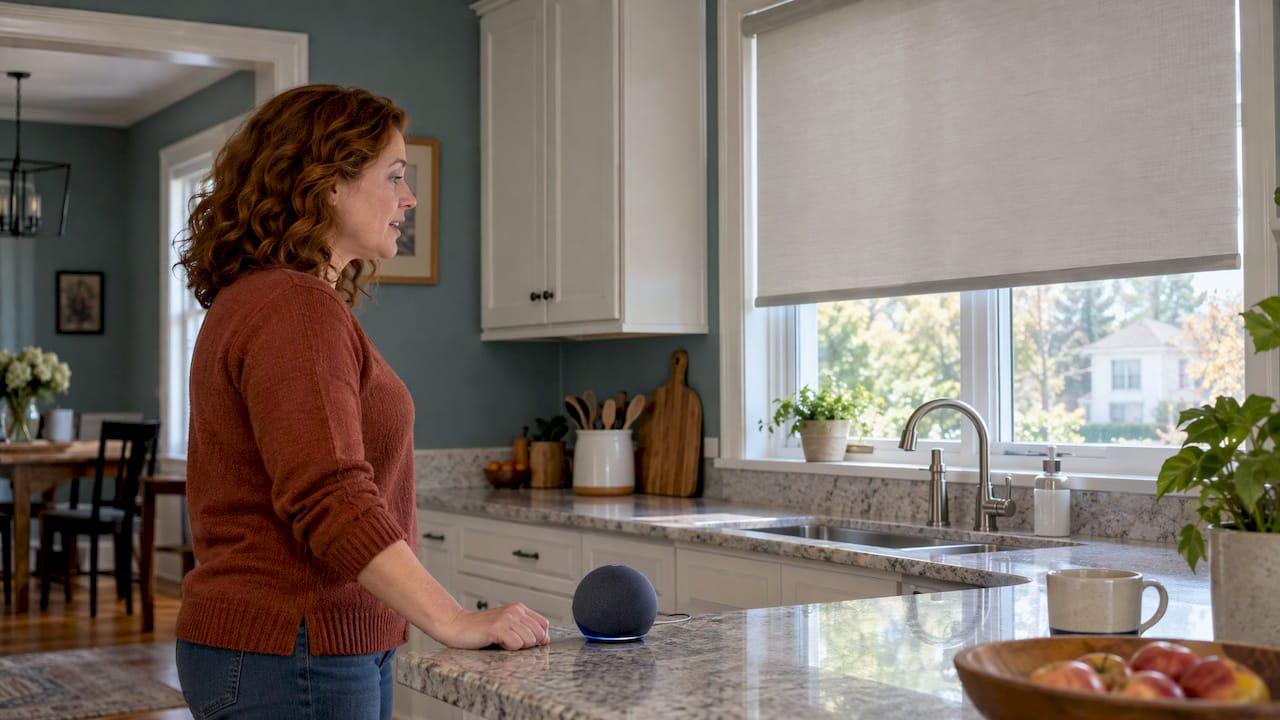
You can control motorized blinds and shades by voice with Google Home, Amazon Alexa and other major smart home platforms. The blinds need a motor, and most also need a bridge or a Thread border router that connects that motor to your voice assistant. Once that is in place, you can say "open the kitchen blinds" or "close all my blinds" and the shades move. This guide explains what you need, how setup works, which commands to expect and what to check for child safety before you choose.
TL;DR
- Blinds must be motorized before a voice assistant can move them. Manual and cordless shades can usually be motorized when they are ordered, not added to the window later.
- Newer Matter-over-Thread shades connect to Google Home, Apple Home, Alexa and SmartThings. Older Bluetooth or radio-based motors usually connect through a bridge.
- Common commands are as simple as "Hey Google, close bedroom blinds." Naming rooms and individual shades clearly in the app makes commands work reliably.
- Voice control is a convenience feature. Keep remotes and wall switches out of toddlers' reach and choose cordless, child-safe lift systems.
- Made in the Shade Bucks County brings samples to your home, measures, and installs, so you can see how your shades will pair with your assistant.
Table of Contents
- How voice control for blinds actually works
- The two connection paths: Matter and Thread, or a bridge
- How to set up blinds in the Google Home app
- Voice commands that work with Google Home and Alexa
- What happens when the internet goes down?
- Safety: cordless lift, remotes and voice
- Which shades suit voice control best
- Planning cost and what to expect
- Making it work in a Bucks County or Mercer County home
- Book your free in-home consultation
- FAQ
- Sources
How voice control for blinds actually works
Your voice assistant does not talk to the blind directly. A chain of three parts sits between your voice and the fabric:
- The motor inside the headrail or tube, which raises, lowers or tilts the shade.
- A connection layer: either a built-in Matter and Thread radio, or a separate bridge or hub that translates the motor's signal.
- The assistant and its app, such as Google Home or Alexa, where each shade is named and assigned to a room.
When a shade is paired, the assistant treats it like any other smart device. Google's own developer documentation describes a blinds device type for Google Home that covers venetian, panel, vertical and top-down bottom-up styles, with the ability to open, close and rotate slats.
That is the reason the first decision is the motor and its connection method, not the voice assistant. Most major platforms are compatible with the right setup, so the shade you like and the assistant you already own can almost always work together.
The two connection paths: Matter and Thread, or a bridge
There are two common ways to get shades onto Google Home.
Matter over Thread: no bridge for the shade
Newer shades have Matter and Thread built in. Motionblinds says its Matter and Thread motors connect directly to Google Home through Thread edge routers such as the Google Nest Hub and Google TV Streamer, with no brand-specific bridge. It adds that control stays local, which means fast response.
In January 2026, GE announced Matter-over-Thread smart shades that work with Google Home, Apple Home, Amazon Alexa and Samsung SmartThings. That cross-platform support is the main benefit of Matter: one shade, several assistants.
Thread shades need a Thread border router somewhere in the home. Motionblinds' list of compatible Google devices shows that the Nest Hub (2nd gen), Nest Hub Max, Nest Wifi Pro and Google TV Streamer can serve as Matter and Thread devices, while the Google Home Speaker (2026) is also listed. If you already own one of these, you may have the router in place already.

Bridge or hub: for Bluetooth and radio motors
Many motors, including popular ones already installed in homes, use Bluetooth or a 433 MHz radio. These connect through a bridge. Motionblinds explains that such motors can join Google Home via a Matter bridge, which is set up with a QR code and runs entirely offline, or via a Wi-Fi bridge for cloud-to-cloud control.
Other motor makers work the same way. Somfy says its TaHoma app is compatible with Google Assistant, letting you launch pre-set scenes that move shades individually or as a group. Those scenes can also work alongside other smart devices, such as lighting.
We cover this decision in more depth in our guide to smart shade integration: Matter or a hub, and you can see the motor options we install on our window motorization page.
| Matter over Thread | Bridge or hub | |
|---|---|---|
| Typical motor radio | Built-in Thread | Bluetooth or 433 MHz radio |
| Extra hardware | A Thread border router (often a smart display or streamer you may own) | The brand's bridge |
| Platforms | Several at once (Google, Apple, Alexa, SmartThings) | Depends on the bridge |
| Best for | New installations and whole-home projects | Extending shades the home already has |
How to set up blinds in the Google Home app
The exact steps depend on the motor brand, but the pattern is consistent. As one example, Alpha Tubular Motors USA documents the sequence for its Neo Smart Blinds link box: open the Google Home app, go to Home Control, tap the plus button on the Devices tab, search for the brand name, sign in and allow access.
For most homes, the flow looks like this:
- Install and power the shades and bridge, following the manufacturer's app to finish pairing.
- Open Google Home and add the device. A Matter shade uses a QR code. A bridge-based shade is linked through the brand's name in the app.
- Give each shade a plain name ("Kitchen blind," "Primary bedroom") and assign it to a room.
- Test with a short command, then build routines.
Neo Smart Blinds notes that you need the Google Home app and a Google Assistant-enabled device, either a speaker or a phone. Our installers pair the shades during the installation visit, so the setup isn't left for you to work through on a weekend. See our professional installation page for how that works.
Voice commands that work with Google Home and Alexa
Google's help page for the Gemini app says window coverings, including curtains, blinds and shutters, are among the devices it can control through Google Home, and lists "Open" and "Close" commands that use the device name.
Brand documentation shows how this looks in practice. Alpha Tubular Motors lists commands such as "Hey Google, open kitchen blinds," which opens every blind in that room, and "Hey Google, close all my blinds," which closes blinds in every room. SOMA's product page shows percentage commands like "set my blinds to 50%", along with routines such as closing shades at bedtime and opening them at 7 a.m.
Google's help page adds that the Gemini app can respond to a request like "The sun is too bright in the living room" by closing window coverings.
Does Alexa work too?
Yes. Matter-based shades support Alexa as well as Google Home, as the GE Matter-over-Thread announcement shows. The motorized and smart-home-compatible shades we install work with Alexa and other major platforms. Alexa, Google Home and Apple Home each use their own app and wording, but the basics are the same: name the shade, assign a room, then say open, close or a percentage.
Tips for commands that work every time
- Use short, distinct names. Avoid two shades with similar names in the same room.
- Group shades by room, so "close the living room blinds" moves the full wall of windows.
- Build a routine for the sunrise, sunset and bedtime moments you repeat daily.
- If you also run smart locks, cameras or alarms, plan how shades fit with them. Our partners' article on smart home security integration is a good place to see how different devices share one system.
What happens when the internet goes down?
This depends on the connection path. Motionblinds explains that because Thread control is local rather than through the cloud, local schedules and automations keep running during an internet outage, and its Matter bridge also operates locally. Thread is IPv6-based, so IPv6 needs to be enabled on your router.
This matters in the Philadelphia suburbs, where a summer thunderstorm or a winter ice storm can knock out internet service. Shades with local control can still follow your closing schedule on a hot afternoon. A motor with a handheld remote also gives you a backup that doesn't need Wi-Fi at all.
Safety: cordless lift, remotes and voice
Voice control and child safety go together well, because a motorized, cordless shade has no pull cord for a child to reach. Two points deserve attention.
Standards. According to Smart Freedom Todays, WCMA/ANSI compliance has been mandatory for the retail sale of motorized blinds in the U.S. since June 2024, and certified motorized blinds meet the WCMA/ANSI 119.1-2022 cordless requirements. It also advises keeping wall switches and remotes out of toddlers' reach.

Convenience, not safety equipment. Google states that home controls in the Gemini app are for convenience only and should not be used for requests that could cause injury or harm if they fail to start or stop. Treat voice control as a comfort feature. Keep an eye on moving shades when small children or pets are nearby, and mount any remote or wall switch high.
If you have toddlers at home, tell your consultant at the start. We offer cordless, child-safe lift options, and our window treatment consultation process page explains how we work through them.
Perspective
At Made in the Shade Bucks County, we think the best voice control setup is the one you stop thinking about. That starts with choosing the right motor and connection path before the shades are ordered, because that choice decides how well your assistant works for years.
We bring samples to your home, so you can judge fabric against your own light, your own furniture and your own windows. We measure every window ourselves, and trained professionals install the shades. We specialize in motorized, smart-home-compatible shades that work with Alexa and other major platforms, and in cordless, child-safe lift options.
Our advice is simple. Decide which assistant your household uses, tell your consultant which rooms matter most, and let us map out a plan that fits your home. The manufacturers we work with back their products with generous warranties, most with limited lifetime coverage.
Tony
Which shades suit voice control best
Most of the shade families we offer can be motorized. These are the ones homeowners in our area ask about most often with voice control:
- Window shades: roller, solar, cellular, Roman, sheer, layered, woven wood and pleated styles. Roller and cellular shades are common choices for bedrooms, where a bedtime routine can lower them all at once.
- Window blinds: tilting slats suit rooms where you want to adjust light without fully raising the blind. Google's blinds device type includes slat rotation.
- Drapery: motorized drapery works for wide living room and sliding door windows. Our Norman SmartDrape page covers one smart option.
- Outdoor shades and retractable awnings: motorization makes it easy to extend shade over a patio on a bright afternoon, or retract it before a storm.
High windows, wide picture windows and skylights are also good fits, since they are the ones you would otherwise struggle to reach. Our guide to skylight window shades goes through those options.
Planning cost and what to expect
Motorization adds to the cost of a shade, and the total depends on the shade style, the size, the number of windows and the connection hardware. We do not publish fixed prices, because every project is measured and quoted for the home. Our motorized shades cost guide explains what shapes a quote, and our motorized shades benefits article covers the energy and convenience side.
Two budgeting habits help. Ask for the whole system in one quote, including motors, any bridge and installation. And decide up front whether you want a single room motorized now or the whole house planned in phases, so the pieces match later.
Making it work in a Bucks County or Mercer County home
Older colonial and farmhouse-style homes in Bucks County often have deep window casings and a mix of window sizes, while newer developments in Mercer County tend to have larger, more uniform windows. Both can be motorized. Where there is no wiring near the window, rechargeable battery motors avoid the need for an outlet. The GE shades in the news above, for example, use a rechargeable battery rated up to six months per charge.
Seasons matter too. Summer sun fades floors and heats south-facing rooms, so a routine that lowers shades at midday saves comfort. In winter, a morning routine that opens shades helps with natural light and passive warmth.
Book your free in-home consultation
Made in the Shade Bucks County has no storefront, because we bring the showroom to you. A personal design consultant comes to your home in Bucks County, PA or Mercer County, NJ with sample collections, talks through motorization and smart-home options, and takes careful measurements. There is no cost for the consultation.
If you want shades that answer to "Hey Google" or Alexa, with cordless, child-safe lift and professional installation, request your free in-home consultation and tell us which assistant your household uses.
FAQ
Can you control blinds with Google Home?
Yes. Motorized blinds can be added to Google Home either directly, if they have Matter over Thread, or through a bridge for Bluetooth and radio motors. Once paired, you can use commands like "Hey Google, close bedroom blinds." A Google Home app and a Google Assistant-enabled speaker or phone are required.
Can Alexa control blinds too?
Yes. Matter-based shades work with Alexa as well as Google Home and Apple Home. The shades we install are compatible with Alexa and other major smart home platforms. Your consultant will confirm the right motor for the assistant you use.
Do I need a hub for voice control?
It depends on the motor. Matter-over-Thread shades need a Thread border router, such as a compatible Google Nest Hub or Google TV Streamer, which many homes already have. Bluetooth or radio motors typically need the manufacturer's bridge.
Are voice-controlled blinds safe for homes with young children?
Motorized, cordless shades remove the pull cords that create a hazard. Compliance with WCMA/ANSI standards is required for retail sale of motorized blinds in the U.S., and remotes and wall switches should stay out of toddlers' reach. Voice control is a convenience feature, so supervise moving shades around small children.
Will my shades still work if the Wi-Fi goes out?
With local control over Thread or a local Matter bridge, schedules and automations can continue without internet, according to Motionblinds. A handheld remote offers another backup. Ask your consultant how your chosen motor behaves during an outage.
Sources
- Cloud-to-cloud blinds guide, Google Home Developers
- Google Home and Motionblinds
- GE's new smart shades use Matter over Thread
- Which hub works with Motionblinds?
- Google Home smart blinds and shades powered by Somfy
- Connecting AlphaNeo Link Box to Google Home
- Neo Smart Blinds: Google Assistant knowledge base
- Control your smart home devices with the Gemini mobile app (Google Help)
- Gemini app help, iOS version
- SOMA Connect U1 voice controlled shades
- What smart shades are compatible with Google Home?
- How to choose smart motorized blinds: a 2026 guide
- Home security integration with smart systems